Paste the whole message
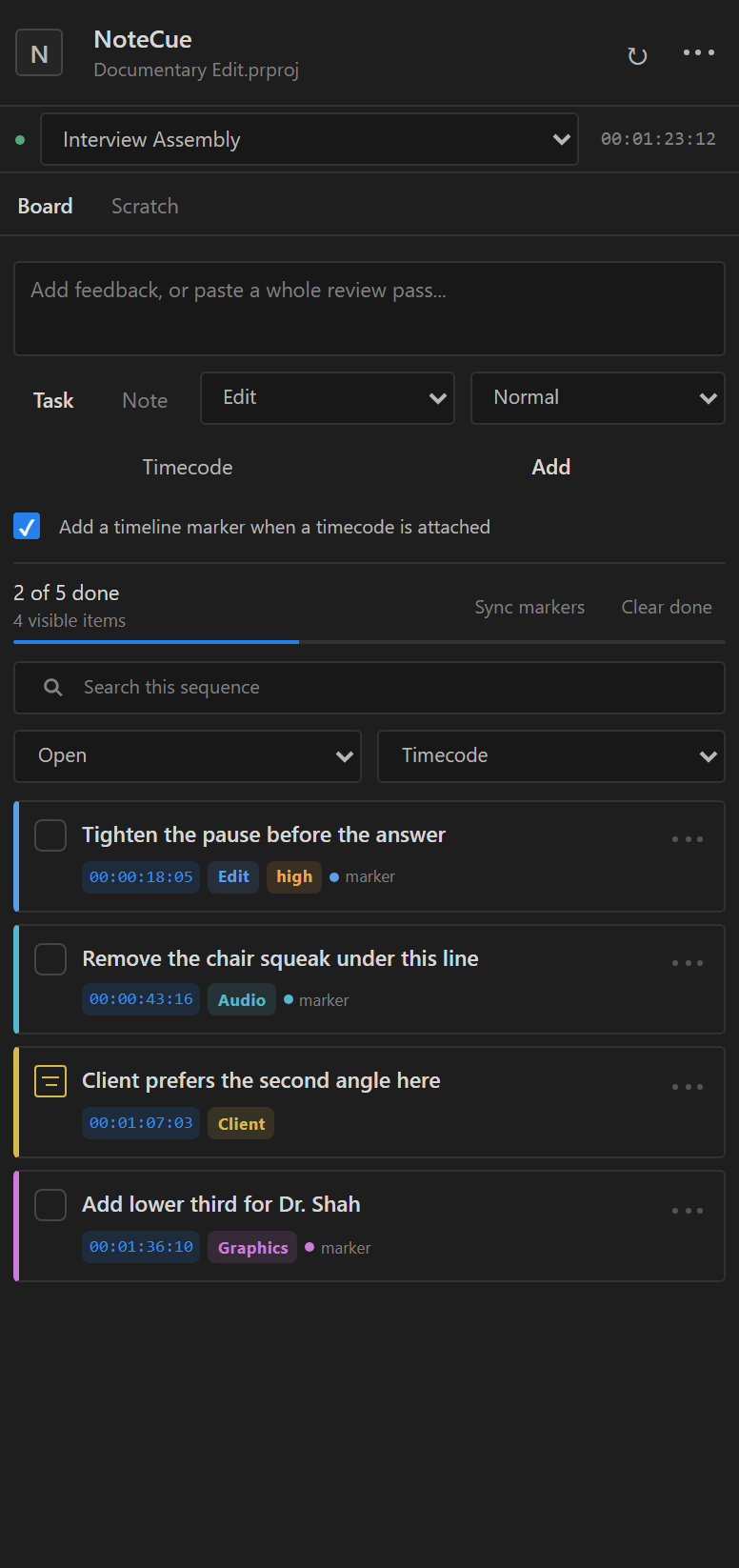
Turn multiline feedback into separate tasks. Common timecodes and ranges become clickable automatically.
 NoteCue
NOTES AND REVISIONS FOR PREMIERE PRO
Turn client emails and review notes into clear, timecoded tasks. Capture exact frames, create timeline markers, and know what is left from one focused Premiere Pro panel.
Client email
totimecoded tasks
tofinished revision pass
BUILT FOR THE REVIEW PASS
NoteCue handles the tedious part between receiving feedback and knowing the cut is ready.
Turn multiline feedback into separate tasks. Common timecodes and ranges become clickable automatically.
Capture the playhead, jump back from a note, and create ranged or point markers in the correct sequence.
Use priorities, categories, search, filters, sorting, and progress to finish the pass without losing a note.
Export JSON backups plus readable CSV or Markdown reports for producers, clients, and future you.
A FASTER ROUTE THROUGH FEEDBACK
Each sequence gets its own board and scratchpad. NoteCue-owned markers can move with the timeline, then sync their updated positions back into your task list.
LOCAL-FIRST BY DESIGN
Boards and scratchpads are embedded in the Premiere project file. Direct purchases contact the licence service only to activate and periodically validate a key.
LAUNCH PRICE
Public sales will open after the final compatibility, legal, checkout, activation, download, and refund checks pass.
Planned NoteCue direct licence
£29
One-time purchase. Location-dependent tax will be shown before payment when sales open.
When sales open, Lemon Squeezy will handle secure checkout, receipts, and tax.
QUESTIONS
No. Project names, notes, markers, paths, and footage remain local. The direct build sends only licence and device metadata during activation.
Yes. A direct licence includes two active computers. Deactivate a computer from NoteCue or the licence centre before moving the seat.
Enable Ripple Sequence Markers in Premiere, then use Sync markers after structural edits. NoteCue pulls moved marker positions back into the board.
No. The direct licence is a one-time purchase and includes NoteCue 1.x updates.